Monitor Too Low
Looking down at your screen for hours encourages forward head posture and neck strain. Raise your monitor so the top is at or slightly below eye level.
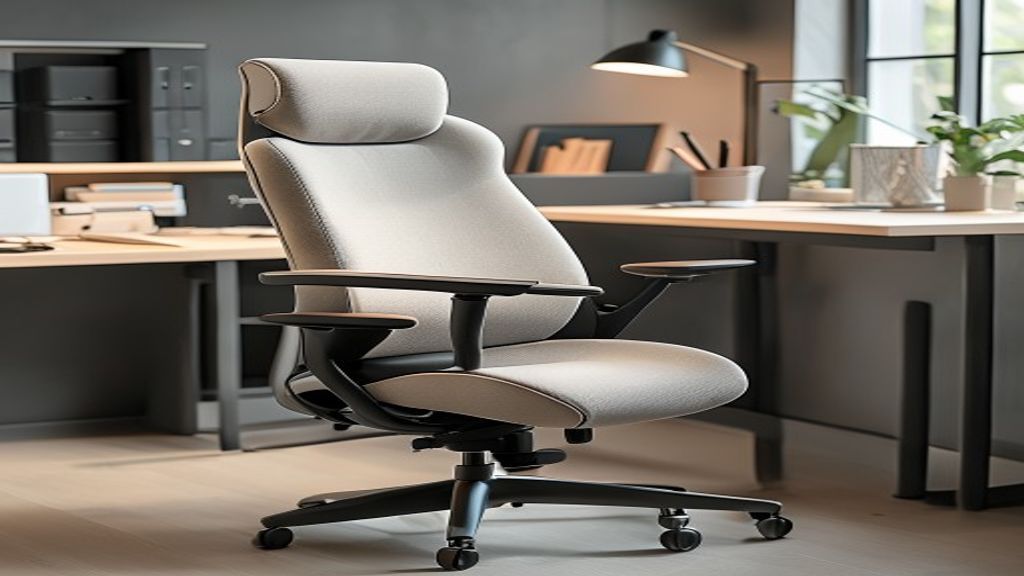
These elements form the foundation of an ergonomically sound workspace. Adjust based on your individual body and preferences.
Your chair seat should be approximately 38–43cm high, with your feet flat on the floor and knees at 90 degrees. Ensure your chair has lumbar support (lower back curve support).
Standard desk height is 72–76cm. When seated with good posture, your elbows should be at 90 degrees, forearms parallel to the desk surface.
Place your monitor at arm's length away (approximately 50–70cm). The top of the screen should be at or slightly below eye level when looking straight ahead.
Keep keyboard and mouse close to your body at the same height as your elbows. This reduces reaching and shoulder strain.
If your feet don't rest flat on the floor, use a footrest to maintain proper leg positioning and hip height.
Position your desk to minimise screen glare. Use task lighting to reduce eye strain and fatigue.
Seat height: Adjust so your feet are flat on the floor with knees at 90 degrees.
Backrest: Should support the natural curve of your lower back, angled slightly back (100–110 degrees).
Armrests: If equipped, adjust so your arms rest lightly at elbow height, taking some pressure off your shoulders.
Cushioning: Your seat should be firm enough to provide support without being uncomfortably hard.
Tilt function: Many office chairs allow seat tilt adjustment. Slight forward tilt can reduce lower back strain.
Standard height: Most office desks are 72–76cm tall. This is appropriate for average height.
Surface area: Ensure enough depth (typically 60cm+) to allow comfortable monitor and keyboard distance.
Standing desk: If using a standing desk or adjustable desk, alternate between sitting and standing throughout the day.
Organised surface: Keep your work surface uncluttered. Place frequently used items within arm's reach.
Keyboard tray: Optional but helpful—allows independent adjustment of keyboard height separately from desk height.
Distance: Sit at least 50cm from your monitor. Closer viewing increases eye strain.
Height: The top of the monitor should be at or slightly below eye level. This encourages slight downward gaze, reducing neck strain.
Angle: Tilt the monitor slightly backward (roughly 20 degrees) to reduce glare and improve viewing angle.
Multiple monitors: If you use multiple screens, centre one and angle others slightly outward to reduce excessive head rotation.
Monitor stand: Use a stand to raise the monitor to the correct height rather than resting it on stacked materials.
Lumbar support cushion: If your chair lacks good lower back support, a lumbar pillow can help maintain spinal curves.
Wrist rest: Optional—can provide light support during typing. Avoid pressing down hard.
Monitor arm: Allows fine-tuning of monitor height and distance without affecting desk height.
Footrest: Helpful if your feet don't reach the floor comfortably when your desk and chair are at standard heights.
Document holder: Positions reference materials at monitor height to reduce neck rotation.
Reference measurements for various workplace elements. Adapt based on individual height, comfort, and equipment.
| Element | Standard Height / Measurement | Adjustment Notes |
|---|---|---|
| Desk Height | 72–76cm | Taller individuals may need 78–82cm; shorter individuals may need 66–72cm |
| Chair Seat Height | 38–43cm | Adjust so knees are at 90 degrees with feet flat on floor |
| Monitor Distance | 50–70cm from eyes | Roughly an arm's length away |
| Monitor Top Height | At or 5–10cm below eye level | Encourages neutral neck position; avoid looking up |
| Keyboard Height | At or slightly below elbow height | Allows forearms to be roughly parallel to desk surface |
| Lumbar Support | At natural curve of lower back | Should gently support the inward curve (lordosis) |
| Footrest Height | Typically 15–25cm | Adjust so feet are flat and knees at 90 degrees |
Looking down at your screen for hours encourages forward head posture and neck strain. Raise your monitor so the top is at or slightly below eye level.
Typing with wrists bent upward increases strain on forearms and shoulders. Keep keyboard at elbow height for neutral wrist position.
A low chair forces excessive hip and knee bending, straining your lower back. Adjust seat height so knees are at 90 degrees.
Without lower back support, your spine collapses into a slouch. Use your chair's built-in lumbar support or add a lumbar pillow.
Research suggests that alternating between sitting and standing throughout the day is ideal. Neither position is perfect for 8 hours continuously. If using a standing desk, alternate every 30–60 minutes.
A basic ergonomic setup can be achieved with a standard office chair (£150–400) and desk (£100–300). Monitor arms, lumbar supports, and other accessories add incremental costs. Proper positioning often matters more than having expensive equipment.
Often yes. Use monitor risers, keyboard trays, and footrests to adjust your current setup. If your desk is too high or too low, a monitor arm or keyboard tray can compensate for many issues.
Request a personalised workspace evaluation or explore our comprehensive programmes.